
Ask Falcon
An assistant on every page that explains what you are looking at and can make changes for you, with your say-so.
Ask Falcon is a panel you can open on any page. Ask it what something means, or ask it to do something.
It works as you, through the same MCP tools anyone can use, so it can only do what you are allowed to do.
When it wants to change something, it shows you the change first. Nothing happens until you say yes.
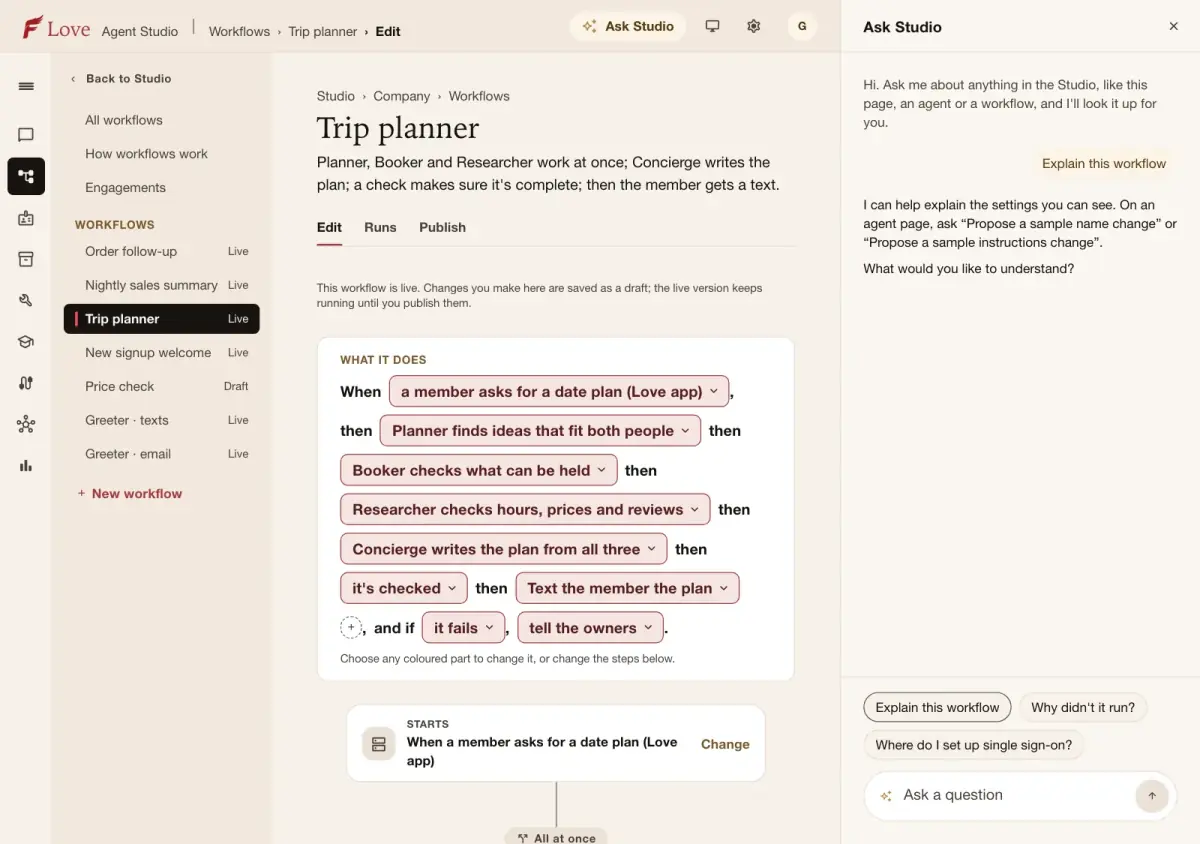
Ask Falcon
In pilotOpen the panel on any page, ask a question in your own words, and get an answer about that page.
What you can do
- Ask what a page or setting does
- Ask it to make a change, and review the change before it is applied
- Edit or skip a proposed change
Skills and house rules
In pilotAsk Falcon follows a short playbook for each part of the Studio, and your company can add its own house rules and reference pages for it.
What you can do
- See the playbooks Ask Falcon follows and which always apply
- Add house rules for your people, for every request or one kind of job
- Give Ask Falcon reference pages about your company to look things up in
Describe it
In pilotDescribe an agent or a workflow in your own words, answer a few questions, and Falcon drafts it for you.
What you can do
- Start from a description instead of a blank page
- Answer follow-up questions
- Accept, edit or discard the draft
Who can do what
Who may do each thing in this guide, and what an AI assistant connected as that person may do with it. Roles are set in Company settings › Roles.
| What | Who may | An assistant |
|---|---|---|
| Read Ask Studio's skills | Anyone who can see it | Reads · needs “look” |
| Change Ask Studio's house rules | People who manage skills | Changes · needs “change settings” |
| Create guide session | People who can edit it | Changes · needs “change settings” · waits for your approval |
| Answer guide session | People who can edit it | Changes · needs “run and test” · waits for your approval |
| Edit guide session | People who can edit it | Changes · needs “change settings” · waits for your approval |
| Accept guide session | People who can edit it | Changes · needs “change settings” · waits for your approval |
| Discard guide session | People who can edit it | Changes · needs “change settings” · waits for your approval |